Mixed reality browser for Meta Quest
Let the web light up your room.
Luminar puts a browser screen in your real space. Whatever you watch spills its light onto your walls, in real time.
Early Access on the Meta Horizon Store
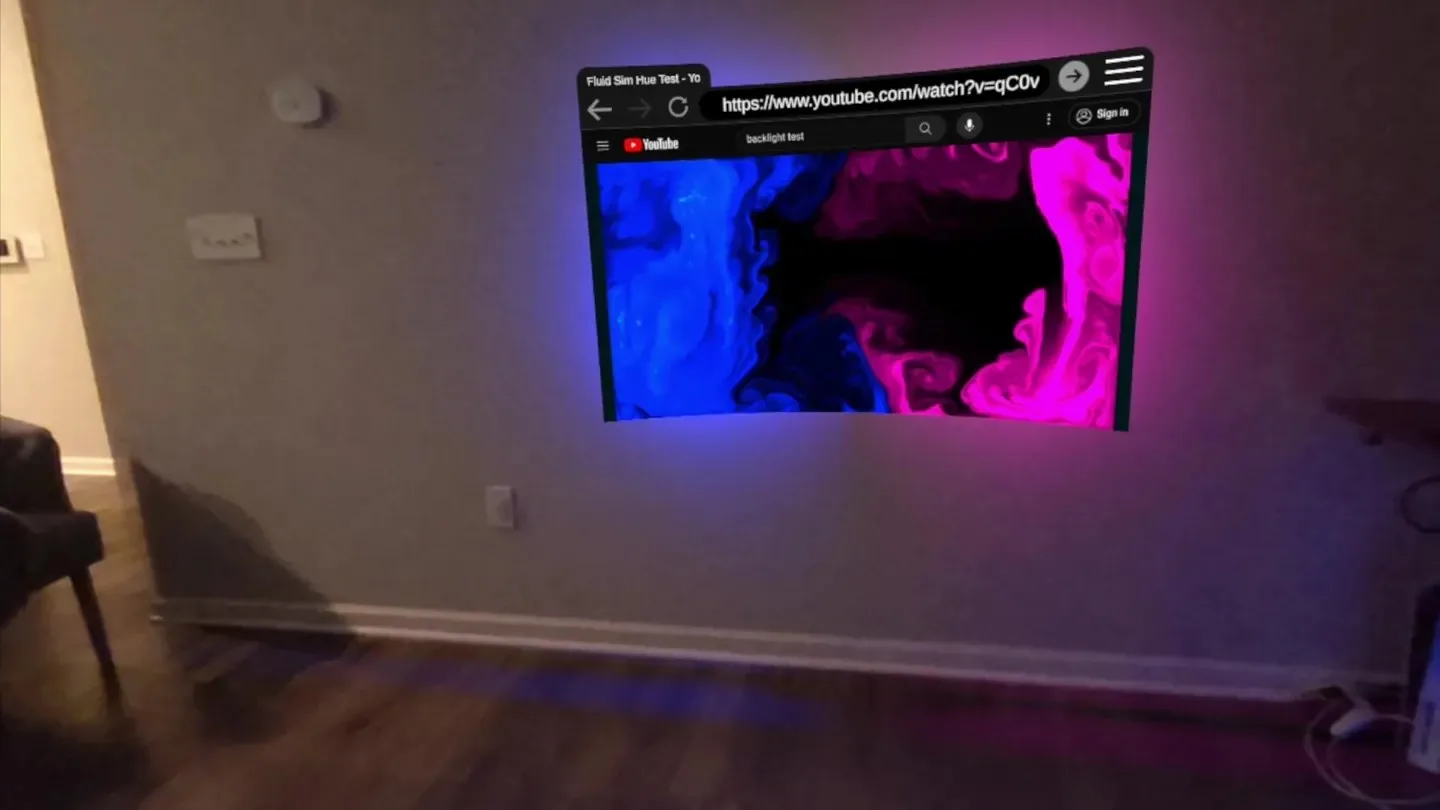
Real-time lighting
Light that leaves the screen.
Colors from whatever is playing reach your walls, floor and furniture. Luminar reads the room you scanned on your Quest, so the light lands where it would from a real screen.
- Backlight
- A glow behind the screen, like a bias-lit TV.
- Reflections
- Choose how glossy your surfaces look.
- Environment brightness
- Dim the room for a movie.
- Your real room
- Lighting follows your scanned walls and furniture.

Everything you’d do on a big screen.
Browse
Tabs, bookmarks and a home page for new tabs. Type with the Meta virtual keyboard, or set the controllers down and use your hands.
Watch
Fullscreen video on YouTube, HBO Max, Prime Video and more. The controls step aside when a video goes fullscreen.
Stream your desktop
Bring your Windows PC or Mac into the room and control it with your own mouse and keyboard.
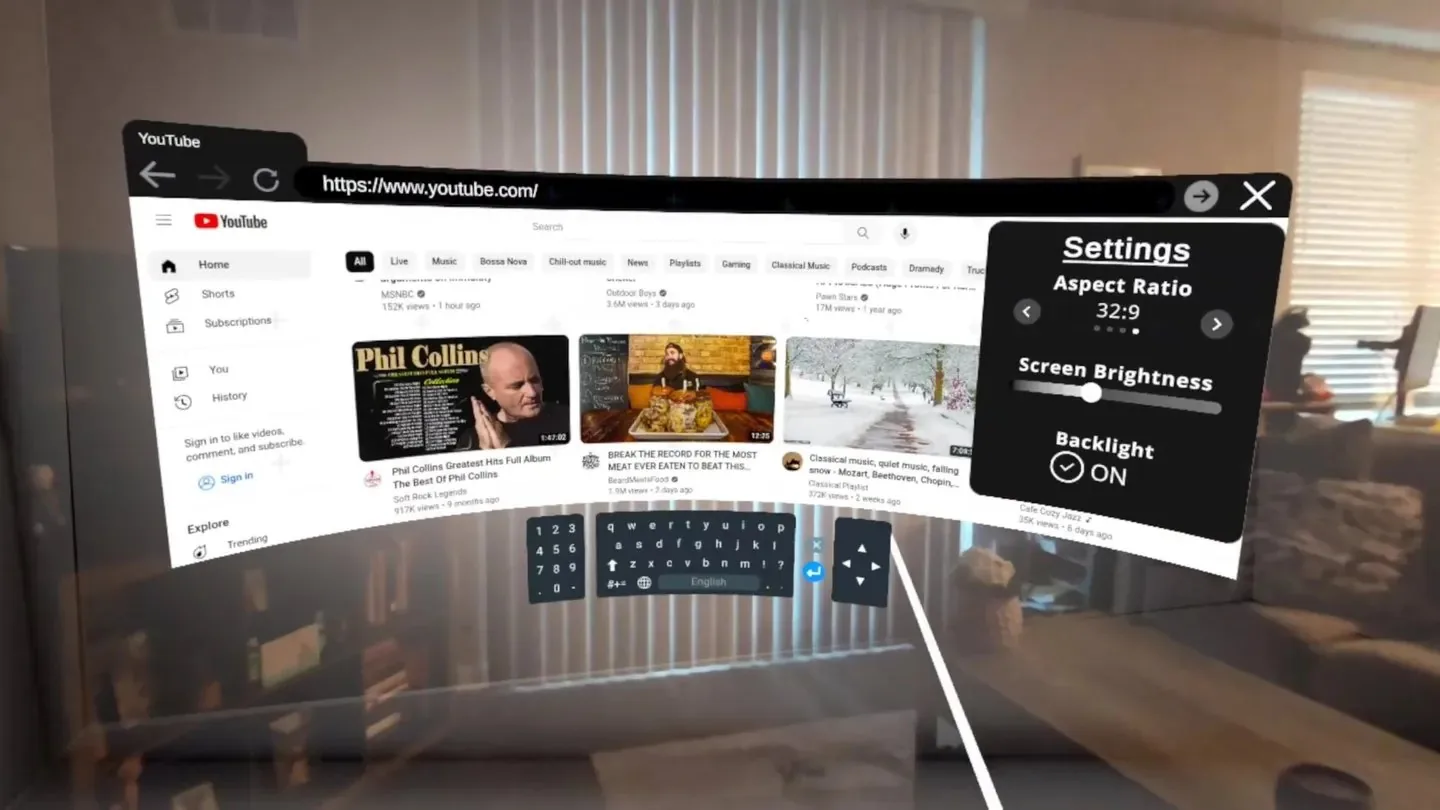
Your screen, your way
Size it to the wall.
- Aspect ratioup to 32:9
- Screen brightnessadjustable
- Screen recallone button
- Boundaryon or off
Luminar Desktop Capture
Your computer, on the biggest wall you own.
Install the free companion app on your computer and stream it straight into Luminar.
- Step 1Install Desktop CaptureAvailable for Windows and macOS.
- Step 2Join the same networkKeep your Quest and computer on the same Wi-Fi. Ethernet on the computer works best.
- Step 3Open Remote DesktopChoose Remote Desktop in Luminar and your screen appears.